TL;DR Updating self-hosted containers usually feels like a choice between manual tag-checking or “blind” automated updates that might break your stack at 2 AM. I built a lean, AI-driven advisory system using a custom Go binary, n8n orchestration, and Gemini 2.5 Flash to audit my server and send smart, summarized update reports via Telegram.
The Problem
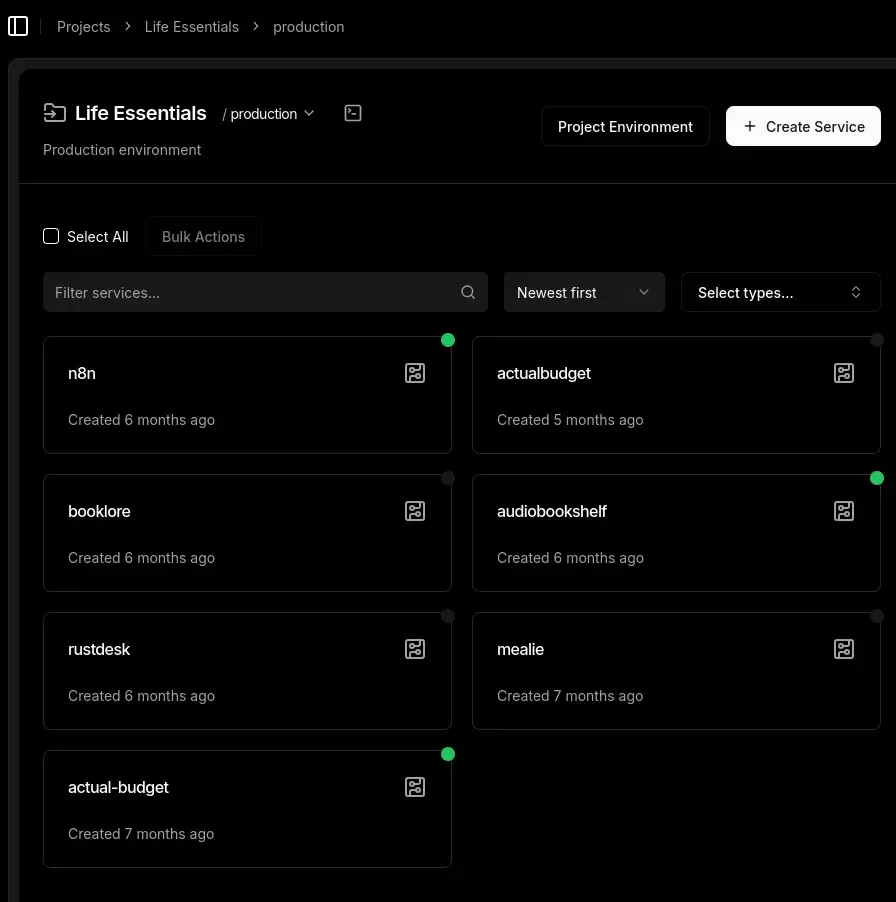
I host everything from my audiobook library to my budget tracker on a single,
RAM-constrained VPS. I manage it all through Dokploy with a GitOps workflow, but
version management was quickly becoming a part-time job. I wanted to move away
from using the latest tag to ensure stability, but checking every service for
updates manually is tedious.
Existing tools didn’t quite fit my needs. Watchtower is essentially in maintenance mode, and What’s Up Docker (WUD), while excellent, is a bit of a resource hog for a single VPS. I didn’t want a heavy container running 24/7 just to watch other containers . More importantly, I didn’t want automated updates: I wanted automated intelligence. I needed to know what was changing before I pulled the trigger. Is it a critical security patch or a major breaking change?
Architecture
The system follows a three-stage “one-shot” design. It wakes up, audits the fleet, consults the AI, sends a report, and disappears.
Implementation
1. The Audit (Go Binary)
I built a tiny Go binary that uses the Moby SDK to talk to the Docker socket. It runs as a “one-shot” process: it wakes up, grabs image names and tags, and immediately exits. No heavy runtimes, just a fast, compiled binary with a negligible memory footprint.
func parseImage(image string) (string, string) {
    // Strip the SHA digest if it exists first to avoid colon-splitting issues
    if strings.Contains(image, "@") {
        image = strings.Split(image, "@")[0]
    }

    // Now safely split by colon for the tag
    parts := strings.Split(image, ":")
    if len(parts) > 1 {
        return parts[0], parts[1]
    }

    // Default to latest for implicit tags
    return image, "latest"
}
2. The Glue (n8n Orchestration)
n8n acts as the glue. It logs into the host via SSH, runs the Go binary, and captures the JSON output. Since I’m already running n8n for other automations, this adds exactly zero extra resource cost.
// n8n Code Node: Parsing the binary's stdout
const rawOutput = $input.first().json.stdout;
const containerData = JSON.parse(rawOutput);
return [{ json: { containers: containerData } }];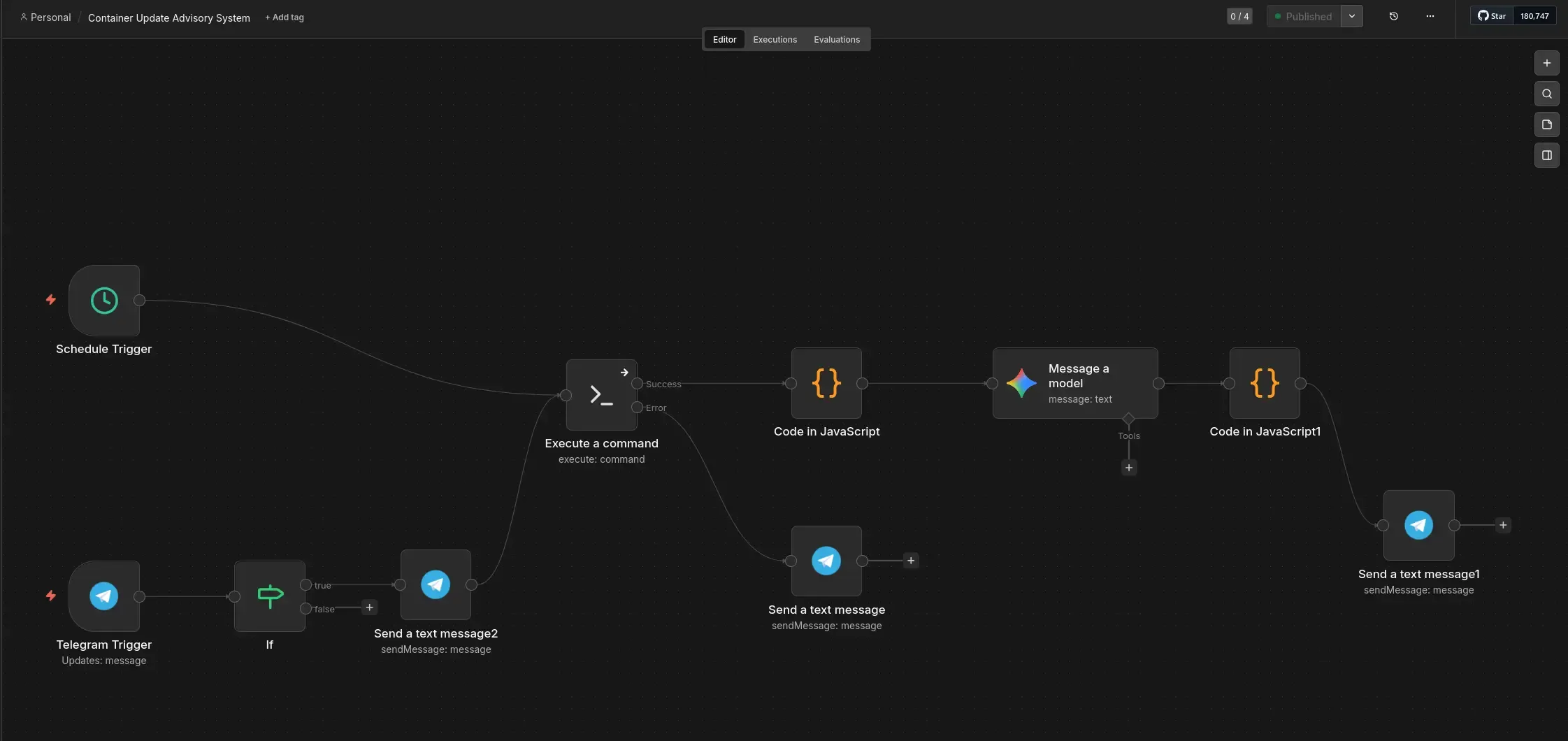
3. The Brain (Gemini 2.5 Flash)
This is the brain of the operation. I send the container list to Gemini 2.5 Flash. Using its “Google Search Grounding” capability, it doesn’t just guess versions: it finds actual changelogs . It analyzes the differences and categorizes updates into “Safe” (patches) or “Major” (potential breaks), giving me a clear advisory report.
4. The Delivery (Telegram)

Finally, n8n sends the report to my phone. I had to build a chunking middleware to handle Telegram’s 4,096-character limit and use basic HTML formatting to avoid breaking its sensitive Markdown parser.
The Localhost Trap
One thing that tripped me up during development was the SSH connection between
n8n and the host. Since everything is on the same VPS, I initially tried to have
n8n connect to localhost (127.0.0.1) to run the Go binary. I quickly realized
that because n8n is running inside its own container, localhost refers to the
container environment, not the underlying host . It’s one of those “of course”
moments that only hits you after staring at a connection timeout for twenty
minutes.
I had to pivot to using the Docker bridge gateway IP instead of 127.0.0.1. Docker typically uses the 172.17.0.0/16 range for its default bridge network, so I pointed n8n to that gateway address (usually 172.17.0.1) and updated my UFW rules to allow the traffic from the container network. It’s a simple fix, but a good reminder that container isolation is always working, even when you’re trying to talk to yourself.
Results & Future
The setup is fast, secure, and lean. By using the authorized_keys file to
restrict the SSH key to a single command, the system is locked down even if the
orchestration layer is compromised . If you try to log in manually with that key, all you get is the JSON list of containers before being kicked out:
# authorized_keys example
command="/usr/local/bin/container-checker",no-port-forwarding,no-x11-forwarding,no-agent-forwarding ssh-ed25519 AAAAC3... n8n-automation
[
{
"container_name": "life-essentials-n8n-iuvd5b-n8n-1",
"image_name": "docker.n8n.io/n8nio/n8n",
"current_tag": "2.12.3",
"uses_latest": false
},
{
"container_name": "school-ateneoutils-xzecfs-ateneo-utils-1",
"image_name": "school-ateneoutils-xzecfs-ateneo-utils",
"current_tag": "latest",
"uses_latest": true
},
{
"container_name": "bunadaiostreams-service-sjlsri-aiostreams-1",
"image_name": "viren070/aiostreams",
"current_tag": "v2.25.4",
"uses_latest": false
},
{
"container_name": "maintenance-umami-yis4lx-umami-1",
"image_name": "ghcr.io/umami-software/umami",
"current_tag": "3.0.3",
"uses_latest": false
},
{
"container_name": "life-essentials-actualbudget-tupojc-actual-budget-1",
"image_name": "actualbudget/actual-server",
"current_tag": "latest",
"uses_latest": true
},
{
"container_name": "life-essentials-audiobookshelf-3cztex-audiobookshelf-1",
"image_name": "ghcr.io/advplyr/audiobookshelf",
"current_tag": "latest",
"uses_latest": true
},
{
"container_name": "authentication-authstack-ykyluu-authelia-1",
"image_name": "authelia/authelia",
"current_tag": "latest",
"uses_latest": true
}
]It works perfectly for my self-hosting setup because it prioritizes intelligence over automation. In the future, I plan to add interactive buttons to the Telegram chat to trigger updates directly. I’m also looking into having Gemini open Pull Requests against my GitOps repos to update version numbers automatically. For now, I can sleep easier knowing my containers are being watched by something smarter than a simple cron job.